
How to Subscribe Your Agency to a Plan
Subscribe to a Plan
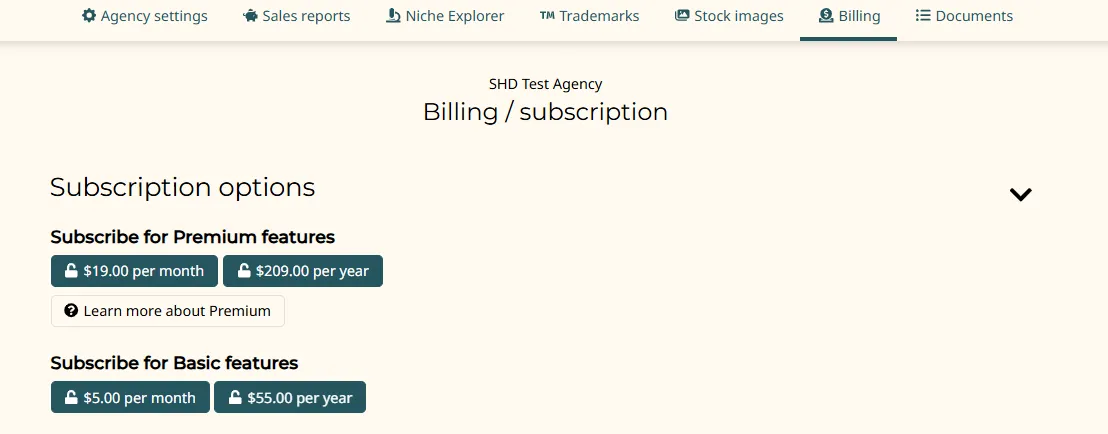
I'll assume you've already created your agency, evaluated your options, and decided to subscribe to either a Basic or Premium plan. Make your way to your agency management page and switch to the "Billing / subscription" tab.
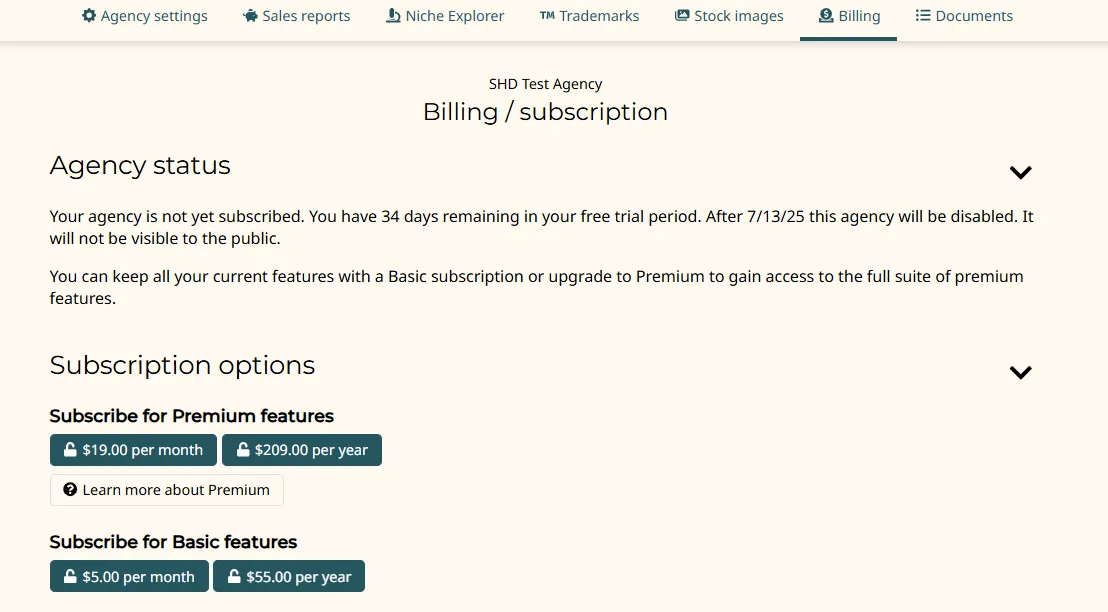
Click on one of the four subscription plans shown in the screencapture above -- $19 USD/mo for Premium, $209 USD/year for Premium; $5 USD/mo for Basic, or $55 USD/year for Basic (as an incentive for prepaying in advance, the year-long subscription plans give you the 12th month for free).
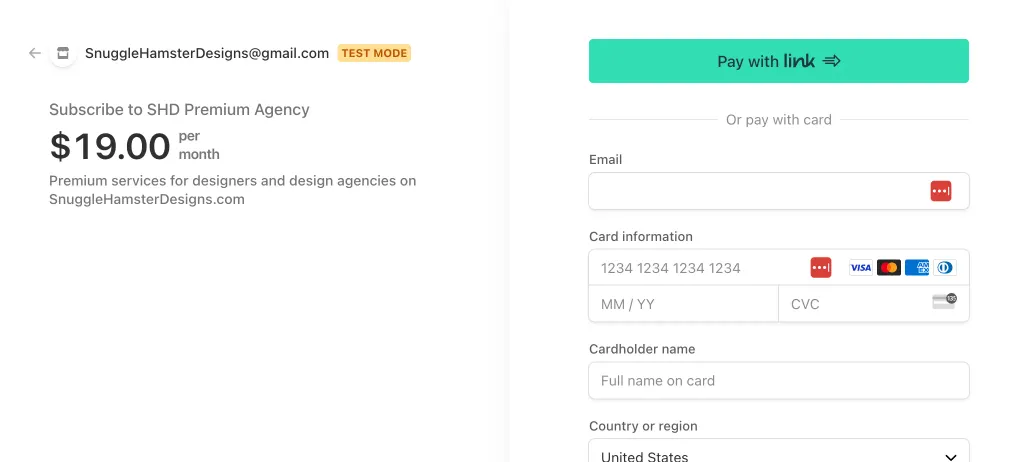
I'll use the Premium $19 USD/month subscription plan as an example.
You'll leave this site and go to the Stripe website (note: SHD uses the Stripe payment service. For security and privacy purposes, SHD does not handle your credit cards or other sensitive financial information directly).
Once you have paid, you should return to your Billing tab, which now will show your subscription status (in this case, the screencapture below is showing the confirmation screen for a Premium plan, billed on a monthly basis):
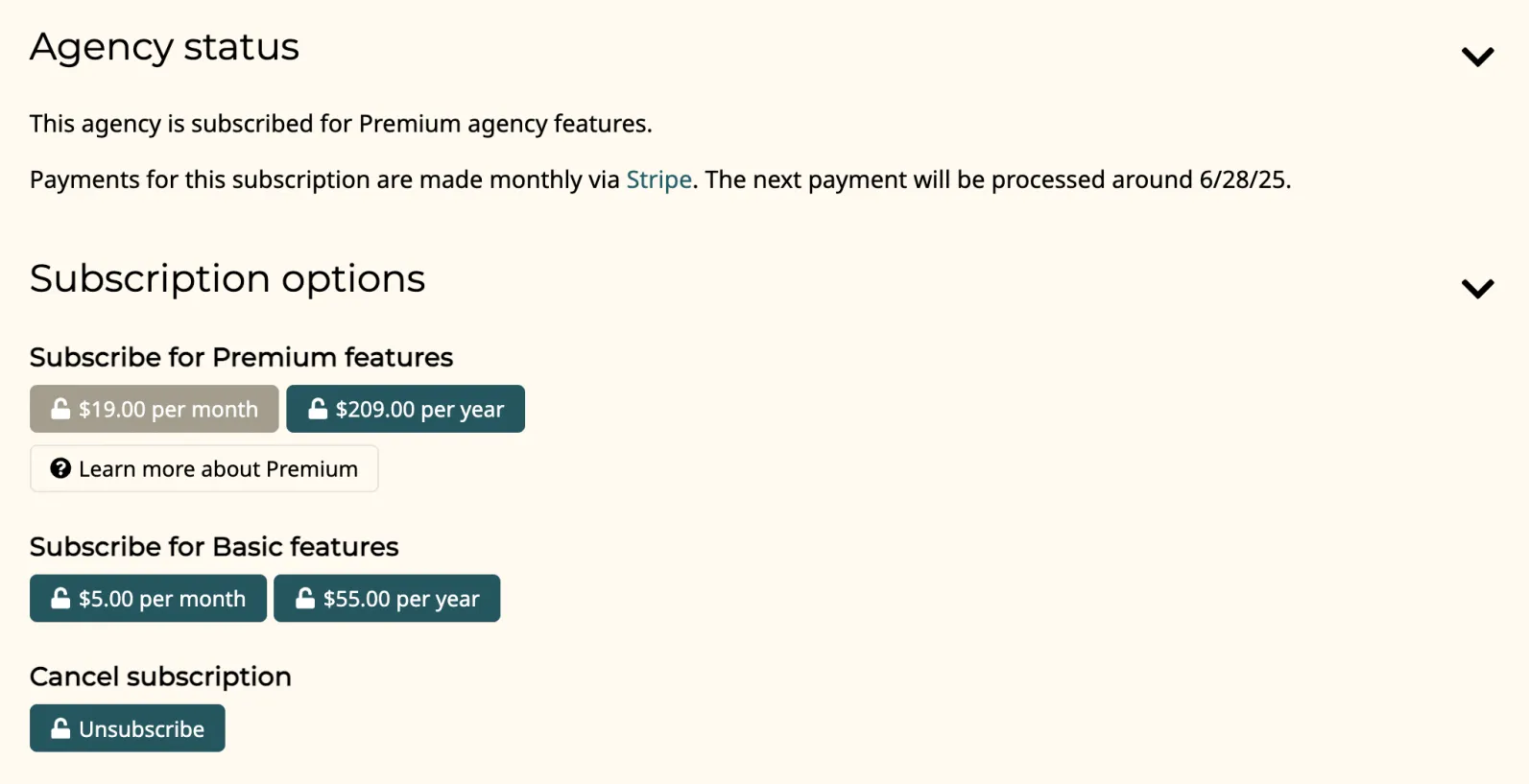
The disabled (greyed out) button indicates your current subscription plan.
From here, you can cancel or modify your subscription at any time (i.e. changing it to a Basic subscription plan, or changing the plan billing frequency/duration from a monthly to a year plan, etc.)
Change My Subscription Plan
Go to your agency management page and switch to the "Billing / subscription" tab.
Click on the Cancel subscription button.
Then, click on one of the other subscription plans shown in the screencapture below. The new subscription plan will take effect once the billing period for the old subscription plan has expired (or been canceled).
Terminate my SHD agency
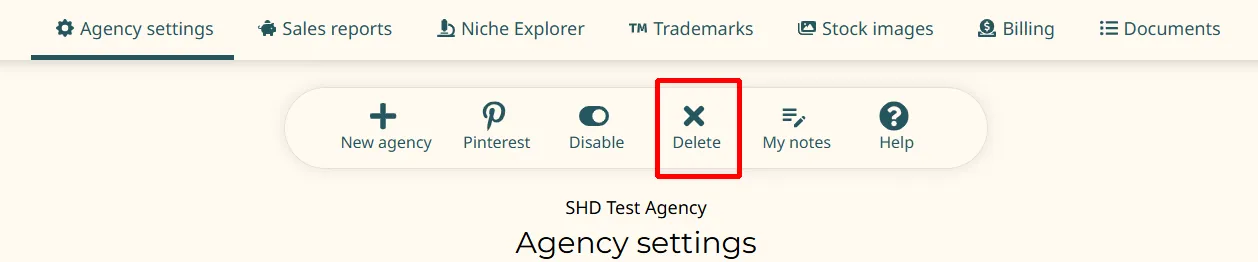
To terminate your account, you can do this by going to your agency management page and clicking on the Agency settings tab.
Click on the Delete button on the line of buttons immediately below.
Please note that this decision is irreversible, and will erase your agency, and any stores and products you may have hosted on SHD. Should you have a change of heart in the future, you will need to go through the process of re-creating your stores, verifying them, and re-importing the products.
Alternatively, you can email snugglehamsteradvocate@gmail.com, informing us of your decision to do so.